
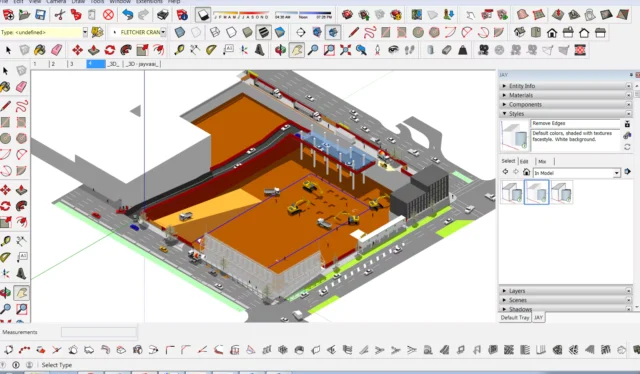
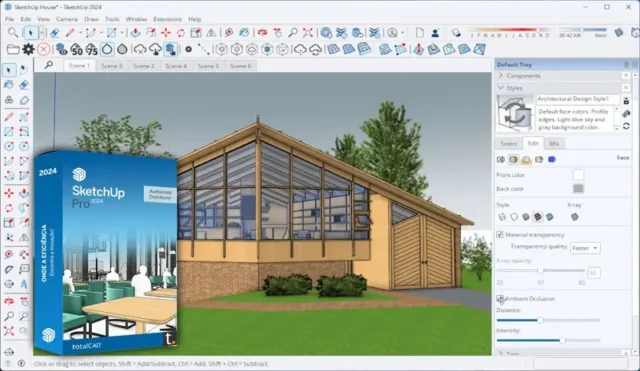

SketchUp Pro is one of the most widely used 3D modeling tools in architecture, interior design, construction, and urban planning. Trimble, the company behind it, has been building on the software for over two decades, and the current version, SketchUp Pro 2025, brings a serious set of updates to visualization, documentation, and collaboration. If you are weighing whether it is the right tool for your work, this guide covers the full picture without skipping the parts that matter.
What Is SketchUp Pro?
SketchUp Pro is a professional-grade 3D modeling application developed and maintained by Trimble. It is built primarily for AEC professionals, which stands for architecture, engineering, and construction, though it also sees heavy use in landscaping, product design, film set design, and concept art.
What separates SketchUp Pro from the free web version is the desktop application, access to LayOut for 2D documentation, full extension support through the Extension Warehouse, and advanced interoperability with file formats like IFC and DWG. SketchUp Pro is available as a subscription, currently priced at $349 per year, while the more advanced Studio plan costs $749 per year. CG Channel
The software runs on both Windows and macOS. SketchUp 2025 is compatible with Windows 10 and above, as well as macOS 12.0 and later. There is no Linux version available. CG Channel
One important detail worth knowing before you install: SketchUp’s performance relies heavily on your graphics card driver and its ability to support OpenGL 3.1 or higher. For models that use Physically Based Rendering texture maps, Ambient Occlusion, and Image Based Lighting, a modern GPU with at least 32 GB of VRAM is recommended. That 32 GB figure applies to extreme use cases with complex PBR-heavy models. For most professional workflows, a discrete GPU with 8 GB VRAM handles SketchUp well. SketchUp Help
Core Features of SketchUp Pro
3D Modeling Tools
SketchUp’s modeling approach is based on push/pull geometry. You draw a flat shape and push or pull it into a 3D form. That concept is simple, but the tools built around it are not. You get precise inference snapping, component libraries, group management, and parametric control over objects.
Live Components, which are pre-built, configurable objects, have now graduated from the SketchUp Labs testing phase and are available as a full production feature in 2025. Subscribers can configure parameters like size, type, and material, with access to over 200 new and refreshed components through 3D Warehouse. Trimble
This matters for architects and interior designers in particular. Instead of rebuilding a window or staircase from scratch every time, you pull a Live Component, set your dimensions, and it adjusts automatically.
Photoreal Materials and Environments
One of the biggest additions in SketchUp 2025 is the introduction of Photoreal Materials and HDRI-based environments. These two features significantly change how models look directly inside SketchUp, without needing an external rendering plugin.
Photoreal Materials add dynamism to models by more accurately conveying texture and representing how real-world materials absorb and reflect light. Instead of a flat image, Photoreal Materials include layers of textures or maps that produce realistic effects like shine, roughness, or metalness. Trimble
The Environments feature offers 360-degree HDR or EXR image files that can serve as background images and light sources. These environments interact dynamically with Photoreal Materials, providing realistic lighting and reflections that improve the overall visual quality of the model. Rapid7
For client presentations, this is a practical upgrade. You can show a material behaving realistically under different lighting conditions inside SketchUp itself, without exporting to V-Ray or Enscape first.
LayOut for 2D Documentation
LayOut is SketchUp Pro’s dedicated 2D documentation tool. You send views from your 3D model into LayOut, then add dimensions, annotations, title blocks, and drawing schedules. The result is a set of construction documents or design presentation sheets that stay linked to your live model.
LayOut updates in 2025 offer more control and precision, with core tools that now better match the tool behavior in SketchUp. This makes the transition from 3D modeling to 2D documentation more predictable and efficient. Trimble. If your workflow requires producing proper drawing sets, LayOut removes the need to export to AutoCAD or another drafting program just to add annotations and title blocks.
IFC and Revit Interoperability
For anyone working in BIM workflows, IFC support is a critical factor. SketchUp Pro 2025 made substantial improvements here. When importing IFC entities, SketchUp now reuses geometries between components, reducing file size by up to 85% and improving import times. SketchUp now recognizes and supports over 180 different IFC classes, providing more accurate classifications and a better representation of imported IFC data. When importing IFC files, SketchUp preserves the original version, whether IFC 2×3 or IFC 4. SketchUp
This level of interoperability means you can pull a model from Revit or another BIM platform into SketchUp for design work and push it back without losing data integrity. That is a real workflow improvement for multi-software teams.
Extension Warehouse
SketchUp Pro gives you full access to the Extension Warehouse, which is a library of third-party plugins that expand what SketchUp can do. Extensions cover areas like structural analysis, advanced rendering, parametric design, landscaping, and energy modeling. Popular extensions include V-Ray for photorealistic rendering, Enscape for real-time visualization, and Curic for enhanced modeling workflows.
The quality and usefulness of these extensions vary, but the catalog is large enough that most professionals will find tools specific to their discipline.
SketchUp 2025 includes a new Extension Migrator tool, which makes upgrading SketchUp easier by smoothly transferring all extensions from a previous installation to the latest release. Previously, updating to a new version meant reinstalling extensions one by one. The migrator removes that friction entirely. FOCUSED SketchUp
Real-Time Collaboration and Trimble Connect
SketchUp Pro integrates with Trimble Connect, which is a cloud-based file management and collaboration platform. You can share models with clients or team members who view them through a browser without needing a SketchUp license.
SketchUp features allow you to create comment threads, upload images and camera views, and share directly from SketchUp for Desktop to view on the web. This keeps clients and stakeholders engaged directly in the 3D model. Trimble
For project teams spread across multiple offices or working remotely, this removes the bottleneck of sending large files back and forth. A client can open a link, leave comments on specific views, and those comments come back to the designer’s workspace.
Hunter Mode and AI Tools
SketchUp 2025 introduced Diffusion, an AI-powered image generation tool built into the software. You set up a view in your model, and Diffusion generates a realistic rendered image based on the geometry and your style prompts. It is described as a Labs feature, meaning it is still in development and not yet at production quality.
Diffusion increases control of AI-generated imagery for faster, more realistic project imagery. Users who rely on V-Ray or Enscape for final renders may find Diffusion more useful for quick concept visuals than finished deliverables. Trimble
SketchUp Pro vs. SketchUp Studio
SketchUp Pro at $349 per year covers most professional design workflows. Studio at $749 per year adds tools built specifically for advanced BIM and point cloud workflows, including Revit file import and Scan Essentials for working with laser scan data.
Scan Essentials now simplifies generating meshes from point clouds and includes new tools for visual outputs. Add Location updates, which let you import existing buildings as 3D geometry natively. Trimble
If your work involves renovation projects, site surveys, or BIM coordination with Revit files, Studio is worth the price difference. For general architectural and interior design work, Pro covers what you need.
What SketchUp Pro Does Well
The software has a genuinely low learning curve compared to competitors like Rhino or Revit. Most designers can produce useful 3D models within a day or two of starting. The inference snapping system makes accurate modeling faster than most tools once you understand how it works.
The 3D Warehouse is a significant time-saver. It holds millions of manufacturer-supplied and community-created components, covering everything from IKEA furniture to specific Andersen window models. You search, download, and place components directly inside your project. Performance on mid-range hardware is acceptable for standard architectural models. A laptop with 16 GB RAM and a discrete GPU with 4 GB VRAM handles most residential or commercial projects without significant lag.
Honest Limitations to Know About
SketchUp Pro is subscription-only. There is no perpetual license option. If you stop paying, the software stops working at the level you need for professional output. For freelancers managing tight budgets, this is worth factoring in before committing.
The software handles simple and medium-complexity models well. Very large models with dense geometry, high-polygon counts, or thousands of components can cause noticeable slowdowns, even on capable hardware. Keeping models clean, purging unused components regularly, and using tags effectively helps, but the limitation is real.
SketchUp is not a parametric modeler in the traditional sense. If your workflow depends on fully associative models where one change updates the entire drawing set automatically, tools like Revit or ArchiCAD will serve you better.
Who Should Use SketchUp Pro
SketchUp Pro is a strong fit for architects working on design and presentation rather than full construction documentation, interior designers building spatial layouts and material concepts, landscape architects visualizing site designs, and small firms that need a fast modeling workflow without the complexity of Revit.It is less suited to structural engineers who need analysis integration, large firms running fully BIM-coordinated projects where Revit is the standard, or anyone who needs parametric relationships across a drawing set.
SketchUp Pro is trusted by over one million subscribers. That number reflects the software’s consistent position as a practical, accessible modeling tool for design professionals. It is not the most powerful option in every scenario, but for the workflows it is designed to support, it does the job with less friction than most alternatives at this price point.
SketchUp Pro System Requirements
| Component | Minimum Requirement | Recommended Requirement |
|---|---|---|
| Operating System | Windows 10 (64-bit) / macOS 12.0 | Windows 11 (64-bit) / macOS 13 or later |
| Processor (CPU) | 1 GHz processor | 2+ GHz multi-core processor |
| RAM | 4 GB | 16 GB or more |
| Storage | 1.5 GB free space | SSD with 6+ GB free space |
| Graphics | 512 MB GPU with OpenGL 3.1 support | Discrete GPU with 8 GB VRAM (NVIDIA or AMD) |
| Display Resolution | 1024 × 768 | 1920 × 1080 or higher |
| Internet | Required for activation | Required for updates, cloud features, and Trimble Connect |