
Your PC slows down over time. Junk files pile up, startup programs multiply, the registry fills with broken entries, and performance drops without any obvious cause. Most users either ignore it or reinstall Windows when things get bad enough. IObit Advanced SystemCare Pro gives you a third option. It is a PC optimization and security tool built specifically for Windows users who want their computer to run clean and fast without spending hours manually troubleshooting. Whether you manage one home PC or multiple machines in a small office, this software handles the heavy lifting so you do not have to. This article covers what the software does, how its main features work in practice, what real users experience when they use it regularly, and everything you need to know before you install it.
What Is IObit Advanced SystemCare Pro?
IObit Advanced SystemCare Pro is a Windows PC optimization and protection suite developed by IObit, a software company founded in 2004. The Pro version is the paid tier of their Advanced SystemCare product, which also has a free version with limited functionality. The Pro license gives you access to the full set of features including real-time protection, privacy cleaning, performance tuning, and automatic maintenance scheduling. It installs as a standalone desktop application and works on Windows 7, 8, 8.1, 10, and 11. A single license typically covers up to 3 PCs, which makes it practical for households with multiple machines. IObit updates the software regularly and publishes a new major version each year, usually numbered by the version release such as Advanced SystemCare 17 Pro.
Core Features of IObit Advanced SystemCare Pro
Deep PC Cleaning
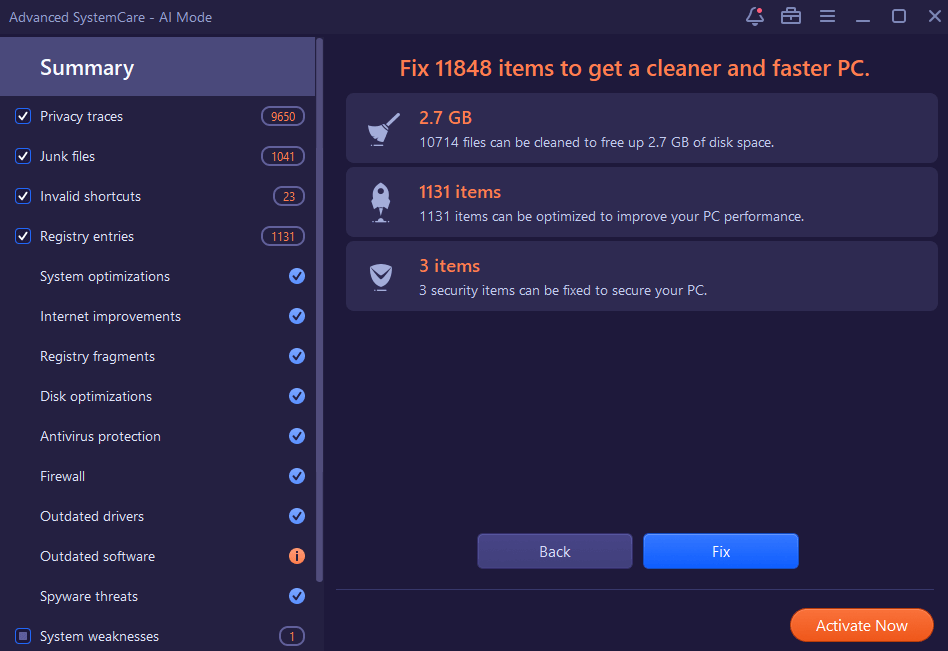
The cleaning engine in Advanced SystemCare Pro scans your system for junk files, temporary folders, browser cache, leftover installation data, and invalid shortcuts. On a PC that has been running for two or three years without regular cleaning, a first-time scan often finds between 5 GB and 15 GB of removable files. The software categorizes everything before deleting so you can review what it found. You can run a quick clean or a deep scan depending on how thorough you want the process to be. The deep scan takes longer but catches file categories that quick clean skips, including leftover registry entries and duplicate system logs.
Registry Repair and Optimization
Windows maintains a registry database that tracks software installations, hardware settings, and system preferences. Over time, failed installs, uninstalled software, and system updates leave orphaned entries in the registry. These do not always cause visible problems, but they add load during startup and can occasionally cause application errors. Advanced SystemCare Pro scans the registry, identifies invalid and broken entries, and removes them safely. It creates a backup of your registry before making changes, which lets you restore your previous state if something goes wrong. On a machine that has had dozens of software installs and removals, the registry scan regularly finds several hundred fixable issues.
Startup Optimization
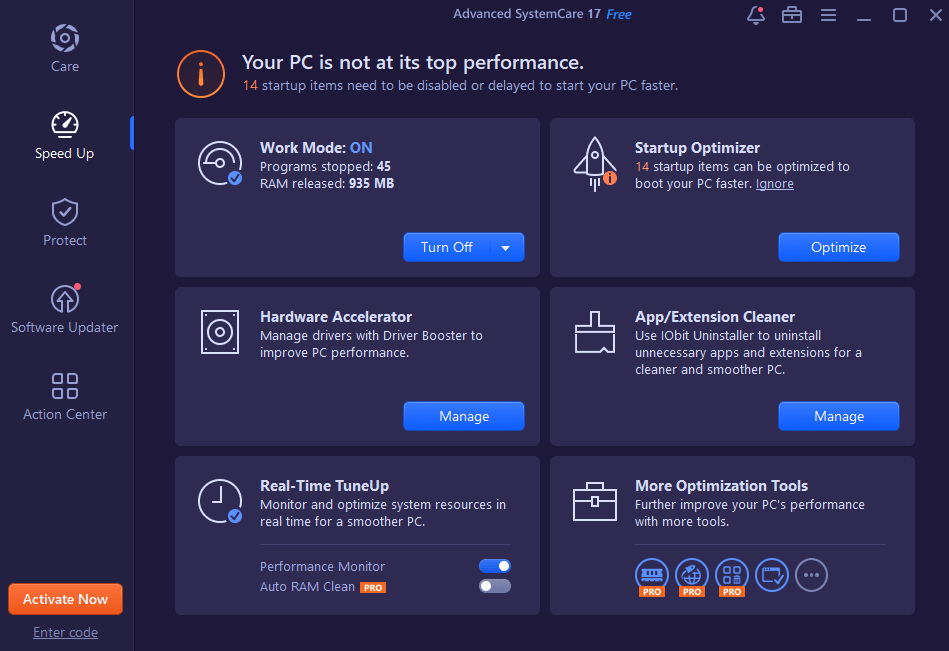
Slow boot times are one of the most common complaints Windows users have. Advanced SystemCare Pro audits your startup programs and services, shows you which ones are loading at boot, and gives you options to disable or delay the ones that are not critical. The software labels each startup item with its impact level, so you can see at a glance which programs are adding the most time to your boot sequence. Disabling three or four heavy startup programs can reduce boot time from over a minute to under 30 seconds on machines with older hard drives. The tool also identifies startup items added by adware or browser extensions, which are frequently the worst offenders for boot slowdowns.
Real-Time System Protection
The Pro version includes a real-time protection module that monitors active processes, browser activity, and system behavior. It checks downloads, flags suspicious startup additions, and blocks known malware processes before they execute. This is not a replacement for a full antivirus suite, but it adds a layer of protection that handles the specific threats that come through PC performance degradation pathways, such as adware bundlers and browser hijackers. The real-time monitoring runs in the background and uses minimal resources, typically staying under 100 MB of RAM during normal operation.
Privacy and Browser Cleaning
Advanced SystemCare Pro clears browsing history, cookies, saved form data, and cached files from Chrome, Firefox, Edge, and other major browsers. It also handles privacy traces at the Windows level, including the recent files list, clipboard history, and Windows search history. For anyone who shares a computer or works in a professional environment where client data privacy matters, this feature saves time compared to manually clearing each browser and Windows setting. You can set it to run automatically on a schedule so your privacy traces are cleared regularly without you having to remember to do it.
Performance Boost and Turbo Mode
The software includes a Turbo Boost mode that temporarily reassigns system resources when you need maximum performance. When you activate it, Advanced SystemCare stops non-essential background processes, adjusts power settings, and prioritizes the active application. This is useful when you need full CPU and RAM capacity for video editing, gaming, or running a large spreadsheet. The mode has three settings: work mode, game mode, and economy mode. Each one adjusts which processes it throttles based on what you are doing. On a machine with 8 GB of RAM running several background applications, activating game mode can free up 1 to 2 GB of RAM immediately.
Real-Time User Experience
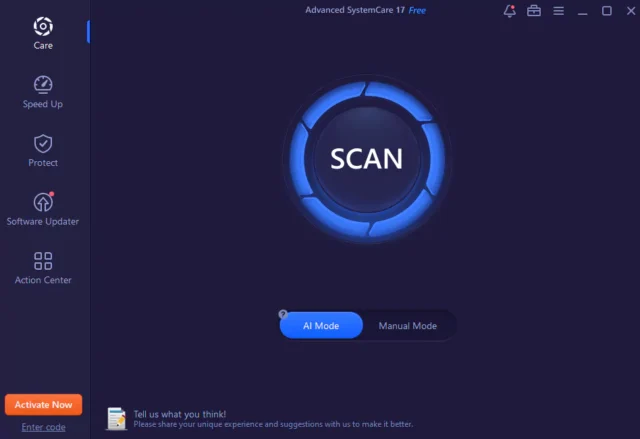
Using Advanced SystemCare Pro on a day-to-day basis is straightforward. The dashboard loads quickly and gives you a single-click Care button that runs a combined scan covering junk files, registry, startup items, privacy, and security checks at once. Most users run this weekly. The scan takes between 2 and 5 minutes depending on your hardware and how long it has been since the last clean. After the scan, the software shows you a summary of what it found and lets you fix everything with a single click or review each category individually. The interface does not try to alarm you with inflated problem counts to push upgrades. What it reports is genuinely fixable and the fixes are applied cleanly without side effects in standard use cases. The scheduler lets you set automatic maintenance for off-hours, so the tool runs while you are not using the computer and does not interrupt your workflow.
Conclusion
IObit Advanced SystemCare Pro is a practical tool for Windows users who want regular automated maintenance without managing it manually. The cleaning, registry repair, startup control, and real-time protection features work well together and are accessible without technical knowledge. It is not a substitute for a dedicated antivirus product, and it will not fix hardware problems or software bugs. What it does well is keep your system clean, organized, and running as efficiently as your hardware allows. If your PC has slowed down over months or years of regular use, this software will make a noticeable difference. The Pro version is worth the cost over the free version specifically because of the real-time protection and automatic scheduling, which are the two features that provide ongoing value rather than just a one-time cleanup.
IObit Advanced SystemCare Pro System Requirements
| Component | Minimum Requirement | Recommended Requirement |
|---|---|---|
| Operating System | Windows 7 (32-bit or 64-bit) | Windows 10 or Windows 11 (64-bit) |
| Processor (CPU) | 1 GHz single-core processor | 2 GHz or faster multi-core processor |
| RAM | 512 MB | 4 GB or more |
| Storage | 1 GB free disk space | 2 GB or more free space on an SSD |
| Graphics | Any display adapter supporting 800 x 600 resolution | Dedicated GPU with support for 1080p display |
| Display Resolution | 800 x 600 | 1920 x 1080 or higher |
| Internet | Required for license activation and database updates | Stable broadband connection for real-time protection updates and cloud features |