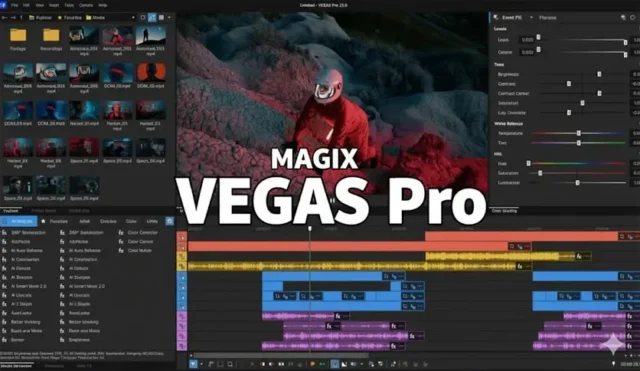

Boris FX VEGAS Pro is a professional non-linear video editing software built exclusively for Windows. It has been around since 1999, originally developed by Sonic Foundry, later passed through Sony Creative Software and MAGIX, and most recently acquired by Boris FX in March 2026. That acquisition changed things. The first major release under Boris FX, Vegas Pro 2026, arrived with GPU acceleration upgrades, deeper AI tooling, integrated Boris FX titling technology, and ProRes RAW support on Windows. If you already know Vegas Pro from its MAGIX days, this version is a step up. If you are new to it, you are looking at a fast, capable timeline editor that stays lean even on complex projects. This article covers what the software does, what has changed, and what your machine needs to run it properly.
What Is Boris FX VEGAS Pro?
Vegas Pro is a non-linear video editor designed for professional editing, finishing, and delivery on Windows. It is not a beginner app dressed up with a clean interface. The timeline is deep, the format support is wide, and the audio tools are tighter than what you find in most competing editors at this price range. Boris FX acquired it alongside Sound Forge and Acid Pro from MAGIX Software in March 2026. The deal also brought the Vegas development team, based in Madison, Wisconsin, and Germany, into the Boris FX organization.
Vegas Pro 2026 is the first version released under Boris FX ownership. It adds hardware-accelerated decoding for AVC and HEVC 4:2:2 footage on NVIDIA Blackwell GPUs, native Apple ProRes RAW support on Windows with full parameter control inside the application, and a new AI depth model called Z-Depth 2.0. The Continuum Title Pack from Boris FX Continuum, an Emmy Award-winning toolset, now comes integrated directly in the editor. These are not cosmetic updates. They address real production needs.
Key Features of Boris FX VEGAS Pro
Fast Timeline Editing
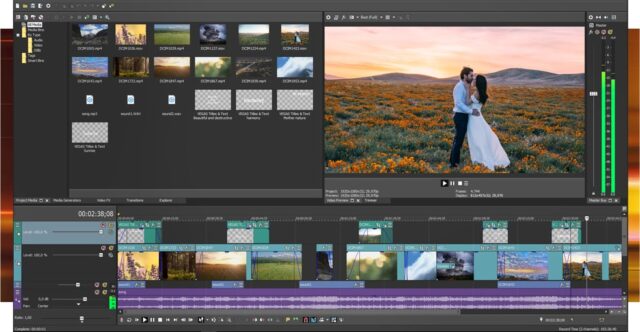
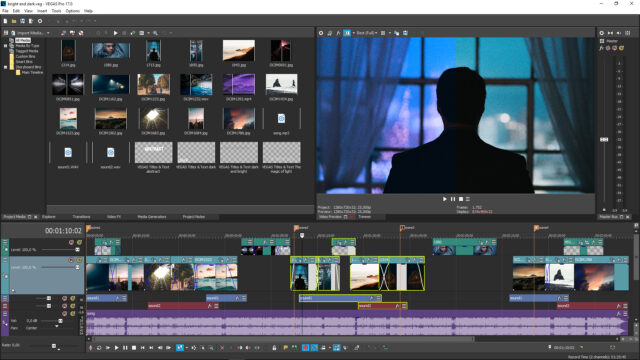
The Vegas Pro timeline has always been its strongest point. You can edit multi-track timelines without the software slowing down on medium-complexity projects. The Zero Copy Pipeline, part of the Vegas Core Engine, reduces data duplication during playback and processing. That matters when you are cutting through long-form content or switching between 4K clips frequently. Editors who work on documentary footage or corporate video often choose Vegas Pro specifically because the timeline stays responsive when other tools start stuttering.
AI-Powered Tools
Vegas Pro 2026 includes several AI features that run locally on your machine. The offline Speech to Text transcription tool generates accurate captions without sending your audio to a cloud server, which is useful if your project involves sensitive client material. There is also an AI voice-over generator that creates spoken audio directly on your PC without any upload required. Z-Depth 2.0 uses a newly trained Boris FX AI model to produce more accurate depth masks for foreground and background separation, which feeds into compositing and effects work directly on the timeline.
Continuum Title Pack Integration
One of the most visible changes in the Boris FX era is the inclusion of the Continuum Title Pack. This is a set of 2D and 3D titling and motion graphics tools taken directly from Boris FX Continuum, which has won Emmy Awards for its visual effects toolset. You get 70 drag-and-drop presets and a full Title Studio environment inside Vegas Pro. You can extrude text, animate branded graphics, design cinematic openers, and build text reveal animations all without leaving your edit. For editors who previously paid separately for motion graphics tools, having this built in changes the production cost calculation.
GPU Acceleration and Format Support
Vegas Pro 2026 adds hardware-accelerated decoding for AVC and HEVC 4:2:2 footage on NVIDIA Blackwell GPUs. That means editors working with high-quality camera footage, particularly 4:2:2 material used for maximum color fidelity in color grading, no longer need software decoding for those formats on supported hardware. The software also added native Apple ProRes RAW support on Windows, with RAW parameter control for color space, ISO, and white balance accessible from inside the application. If you shoot on a Canon or Sony camera that outputs ProRes RAW, you can now grade that footage natively in Vegas without a conversion step.
Broad Format and Project Compatibility
Vegas Pro imports a wide range of formats including BlackMagic RAW, RED RAW, XAVC, XDCAM, AVCHD, and standard MP4 and AVI containers. On the export side you get H.265, H.264, MPEG-2, Apple ProRes, and broadcast formats like XAVC-S and HDCAM SR. Project compatibility extends to Premiere Pro and After Effects project files, Final Cut Pro XML, DaVinci Resolve XML, and EDL files. If you are bringing a sequence from another editor into Vegas for finishing, the import path exists. That matters for studios that work across different tools depending on the project.
Storyblocks Content Library
Subscription users get integrated access to the Storyblocks content library directly inside Vegas Pro. You can browse and download video footage, music, and sound effects without leaving the editor. For editors producing content that regularly needs stock footage or royalty-free music, this cuts out the separate browser tab, download folder, and import step. It is a practical time saver on projects where you need to fill a B-roll gap or add a music bed quickly.
Real-World Experience with Vegas Pro
In practice, Vegas Pro works well for editors who spend most of their day on the timeline cutting real footage rather than building complex composites. A video editor working on a 45-minute documentary will find the multi-track timeline easy to manage. An event videographer who shoots weddings in 4K and needs fast turnaround will appreciate the GPU-accelerated playback and the direct export options. The offline AI transcription is genuinely useful for anyone producing interview-based content where captions are required.
Where Vegas Pro has limits is in deep compositing work. If your projects regularly involve node-based compositing, advanced 3D integration, or complex visual effects pipelines, you will likely need additional tools alongside it. The Continuum Title Pack addresses motion graphics to a useful degree, and the higher-tier Vegas Pro Ultimate plan bundles Mocha tracking tools and Particle Illusion, which adds more capability. But for pure compositing, Vegas Pro is not trying to replace a dedicated compositor, and it does not pretend to.
Conclusion
Boris FX VEGAS Pro is a solid Windows video editor with a clean timeline, strong format support, and a set of AI tools that actually run offline. The 2026 version marks the first release under Boris FX ownership, and the improvements are meaningful rather than cosmetic. The Continuum Title Pack integration alone adds real value for editors who need professional motion graphics without a separate subscription. The GPU acceleration updates and ProRes RAW support address specific production needs that were missing before. If you work on Windows and spend your day cutting footage for clients, corporate video, documentaries, or event production, Vegas Pro deserves serious consideration. You can try it free for 15 days with full feature access and no credit card required.
Boris FX VEGAS Pro System Requirements
| Component | Minimum Requirement | Recommended Requirement |
|---|---|---|
| Operating System | Microsoft Windows 11 (64-bit) | Microsoft Windows 11 (64-bit, fully updated) |
| Processor (CPU) | Intel Core i5 8th Gen or AMD Ryzen 5 1000 series | Intel Core i9 14th Gen or AMD Ryzen 9 7000 series (for AI workflows) |
| RAM | 16 GB | 32 GB or more |
| Storage | 1.5 GB free space (SSD recommended) plus additional high-speed drive for media | SSD with ample free space plus a dedicated fast drive for media assets |
| Graphics | NVIDIA GeForce GTX 20 series, AMD Radeon with 8 GB VRAM, or Intel HD Graphics 630 series | NVIDIA GeForce RTX 40 series or AMD Radeon RX 6000 series with 16 GB VRAM (for AI features) |
| Display Resolution | 1920 x 1080 | 2560 x 1440 or higher |
| Internet | Required for license activation and sign-in | Required for Storyblocks access, cloud sharing, and software updates |