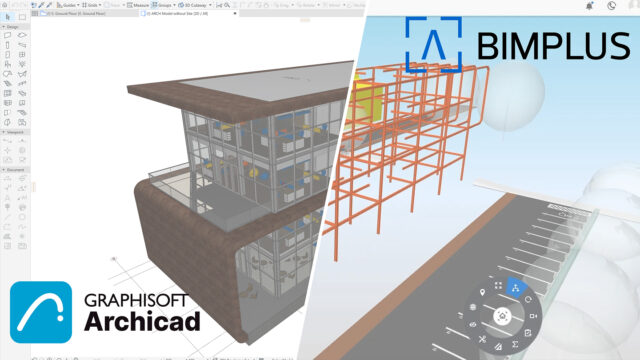



If you work in architecture and you have not used GRAPHISOFT ArchiCAD yet, you are probably still exporting files between software, losing time on format conversions, and working in disconnected environments. ArchiCAD fixes that. It is a building information modeling (BIM) software built specifically for architects, and it has been doing this work since 1987. That makes it one of the oldest BIM tools on the market. Longevity in this industry means something. It means the software has been shaped by real project experience over decades. Architects working on residential buildings, hospitals, public institutions, and mixed-use developments use ArchiCAD daily. This article covers what the software does, its six core features, what working in it actually feels like, and whether your hardware can run it.
What Is GRAPHISOFT ArchiCAD?
GRAPHISOFT ArchiCAD is a BIM software application designed for architects and AEC professionals. It handles everything from initial design concepts through construction documentation in a single environment. You build a 3D model of your project, and ArchiCAD generates floor plans, sections, elevations, and schedules directly from that model. Change something in the 3D model and all your drawings update automatically. That connection between model and documentation is the core idea behind BIM, and ArchiCAD executes it well.
GRAPHISOFT is a Hungarian company founded in 1982. It introduced the concept of virtual building in the 1980s, years before BIM became an industry term. Today, the company operates as part of the Nemetschek Group. ArchiCAD runs on both Windows and macOS, which is a meaningful advantage over tools like Enscape or Revit that require Windows. It supports 27 local language versions with region-specific templates and architectural defaults, which matters if your office works in markets with specific code or drawing standards.
Core Features of GRAPHISOFT ArchiCAD
BIM-Based Design Environment
ArchiCAD gives you a model-first workflow. When you place a wall, a slab, or a staircase, you are placing a BIM object with real properties, not just drawing lines on a screen. That wall carries its thickness, material, thermal properties, and finish data with it. When you change the wall thickness in one view, it updates in every other view. This approach means your floor plan, your section, and your 3D perspective are always in sync. On a large residential project with 40 apartment units, the automatic coordination saves days of manual drawing updates over the course of the project.
Teamwork and BIMcloud Collaboration
ArchiCAD includes a built-in teamwork system that lets multiple architects work on the same project file at the same time. This works through GRAPHISOFT’s BIMcloud server platform. Each team member reserves sections of the model, works on them, and sends changes back to the server. Other team members receive those updates without waiting for someone to save and share a file. On a project with a structural engineer, an interior architect, and two project architects all working simultaneously, BIMcloud keeps the model coherent. Without a system like this, teams end up emailing files back and forth, which creates version conflicts almost immediately.
Integrated Documentation
One of the strongest things about ArchiCAD is how it handles construction documentation. Your drawings are not separate files. They come directly out of the BIM model. You set up a floor plan view, an east elevation, and a wall section, and ArchiCAD generates them from the model geometry. When a client requests a design change at week 10 of a project, you make that change once in the model, and your floor plan, elevation, schedule, and 3D render all update together. That process would take hours of manual work in a disconnected CAD workflow.
Redshift GPU Rendering
Starting with ArchiCAD 25, GRAPHISOFT integrated Maxon’s Redshift rendering engine directly into the software. Redshift is a GPU-accelerated renderer, which means render times are significantly shorter than CPU-only renderers. On a workstation with an NVIDIA RTX 4080, a complex architectural scene that would take 2 hours to render with a CPU renderer can finish in under 20 minutes. The render quality is production-level, with accurate light bounces, material translucency, and realistic shadows. You do not need to export your model to a separate rendering application. You set up your scene and render from inside ArchiCAD.
Open BIM and IFC Support
ArchiCAD has strong support for IFC (Industry Foundation Classes), the open file format that lets BIM software from different vendors exchange model data. If your structural engineer uses a different software package and your MEP consultant uses yet another, ArchiCAD can import and export IFC files to keep the models coordinated. This is called Open BIM, and GRAPHISOFT has been one of its strongest advocates in the AEC industry. On public sector projects in Europe, IFC-based data delivery is often a contract requirement. ArchiCAD meets that requirement without additional plugins or data translation steps.
GDL Object Technology and the BIM Library
ArchiCAD uses a scripting language called GDL (Geometric Description Language) to define smart BIM objects. Every door, window, stair, column, and structural element in the ArchiCAD library is a GDL object. You can adjust its parameters directly in the properties panel. A single window object can become a fixed pane, a casement, or a sliding unit by changing its parameters, without needing a separate model for each variant. The default ArchiCAD library contains thousands of parametric objects. For specialized elements, GRAPHISOFT and third-party developers publish additional GDL object libraries that you can install and use directly inside your projects.
Real Working Experience With ArchiCAD
Working in ArchiCAD daily has a different feel than using a pure CAD tool. The learning curve is real. If you are coming from AutoCAD, your first few weeks in ArchiCAD will be slow. The logic of working with BIM objects instead of lines and polylines takes adjustment. Most users report that it takes about three months of consistent use before the workflow feels natural and efficient.
Once that adjustment happens, the productivity gains are noticeable. Architects who moved to ArchiCAD from a CAD-based workflow regularly report that drawing production time drops significantly. One mid-size firm handling residential and commercial projects found that their documentation phase shortened from six weeks to three weeks after switching, mainly because drawing coordination became automatic. The teamwork feature also changes how offices are structured. With BIMcloud, team members in different offices or working remotely can contribute to the same live model, which matters for firms with more than one location.
There are real frustrations too. The software is memory-hungry on large projects. A hospital BIM model with multiple linked consultant files can push past 32 GB of RAM usage during heavy editing sessions. Performance on anything below a mid-range workstation becomes noticeable on complex projects. The macOS version performs well, but Mac users who want GPU rendering with Redshift need NVIDIA hardware, which no current Apple Silicon Mac provides. That forces those users into CPU rendering, which is slower. GRAPHISOFT has not fully resolved that gap yet.
Conclusion
GRAPHISOFT ArchiCAD is a mature, capable BIM platform with a clear focus on architectural practice. Its integrated documentation system, open BIM support, Redshift rendering, and collaborative teamwork tools make it a strong choice for architecture firms of all sizes. It is not beginner software, and it is not cheap, but for practices that do serious project work, it delivers tools that reduce coordination errors, shorten documentation time, and support client communication through accurate 3D output. If your firm is still working in disconnected CAD applications, ArchiCAD is worth a serious look.
GRAPHISOFT ArchiCAD System Requirements
| Component | Minimum Requirement | Recommended Requirement |
|---|---|---|
| Operating System | Windows 10 (64-bit) or macOS Ventura 13 | Windows 11 (64-bit) or macOS Sonoma 14 / Sequoia 15 |
| Processor (CPU) | Intel Core i5 or AMD Ryzen 5, 2.5 GHz multi-core | Intel Core i7/i9 or AMD Ryzen 7/9 with 4.5+ GHz boost clock |
| RAM | 16 GB | 32 GB or more (64 GB for large or complex BIM projects) |
| Storage | 10 GB free disk space on HDD | NVMe SSD with 20+ GB free space |
| Graphics | DirectX 11-compatible GPU with 4 GB VRAM | NVIDIA RTX 3080 or RTX 4080 with 10+ GB VRAM (for Redshift GPU rendering) |
| Display Resolution | 1920 x 1080 | 2560 x 1440 or 4K (5120 x 2880 for full detail review) |
| Internet | Required for license activation | Required for BIMcloud collaboration, updates, and cloud services |