
If you produce music professionally, you have likely heard of Steinberg Cubase Pro. It has been around since 1989 and remains one of the most trusted digital audio workstations available today. Composers working on film scores, mixing engineers handling commercial releases, and bedroom producers building entire albums all use it for the same reason: it gets the job done without forcing you into a fixed workflow. Cubase Pro gives you control over every part of the production process, from the first MIDI note to the final master export. It runs on both Windows and macOS, supports the VST3 plugin format, and handles projects with hundreds of audio and MIDI tracks without collapsing under the weight. Whether you record live instruments, program beats, or score for picture, Cubase Pro is built for the full range of professional music production. This article walks through what the software is, what it does well, and whether it suits your work.
What Is Steinberg Cubase Pro?
Steinberg Cubase Pro is a full-featured digital audio workstation developed by Steinberg, a Hamburg-based company now owned by Yamaha. It started as a MIDI sequencer on the Atari ST and has expanded into a complete production environment that handles audio recording, MIDI programming, mixing, mastering, and video scoring. Cubase Pro sits at the top of the Steinberg lineup, above Cubase Artist and Cubase Elements, and includes the complete set of tools that the software offers.
The software runs on Windows 10 version 22H2 or later and macOS Ventura or later. Activation uses Steinberg’s software-based licensing system, so you no longer need a USB dongle. You log into your Steinberg account, activate your license online, and you are running. The current version, Cubase Pro 14, introduced six modulator tools, a fully revamped Score Editor built with technology from Dorico, new effects plugins, and support for 4K and 8K video. It also added Session Exchange, which lets you share project data with DAWs from other manufacturers. That feature alone removes one of the most persistent friction points in collaborative production work.
Core Features of Steinberg Cubase Pro
Advanced MIDI Editing
Cubase Pro has one of the most detailed MIDI editing environments available in any DAW. The Key Editor gives you a precise piano roll view where you can adjust note velocity, timing, length, and pitch with fine control. You can use the Logical Editor to apply rule-based transformations to MIDI data, which is useful when you need to process large amounts of information consistently. For example, you can select every note above a specific velocity value and scale it down by a fixed percentage in a single operation. The MIDI editor also supports chord recognition, chord pads, and note expression editing for instruments that accept per-note articulation data.
VariAudio Pitch Correction
VariAudio is Cubase Pro’s built-in pitch and timing correction tool for audio recordings. You open a vocal or monophonic instrument track in the Sample Editor, switch on VariAudio, and the software analyzes the recording and displays each note as a colored segment. You can drag notes to the correct pitch, adjust their vibrato, and fix timing without leaving the editor. Unlike using a separate pitch correction plugin, VariAudio works directly on the audio file and gives you visual confirmation of what you are adjusting. Producers working with vocalists use this regularly to correct individual syllables rather than applying blanket pitch correction that flattens the natural character of a performance.
Modulator Tools
Cubase Pro 14 introduced six modulator tools that let you control plugin and channel parameters with generated modulation data. The available modulators cover an LFO, a Step Modulator, an Envelope Follower, a Shaper, a Macro Knob, and the Mod Scripter for custom programming. You connect a modulator to any compatible parameter on a plugin or channel strip, set the rate and depth, and the modulator drives that parameter automatically. A practical use case is routing an Envelope Follower to a filter cutoff on a synthesizer so the filter responds dynamically to the amplitude of a drum bus. This kind of modulation used to require external tools or complex automation draws, and having it built into the DAW saves significant time.
MixConsole and Channel Strip
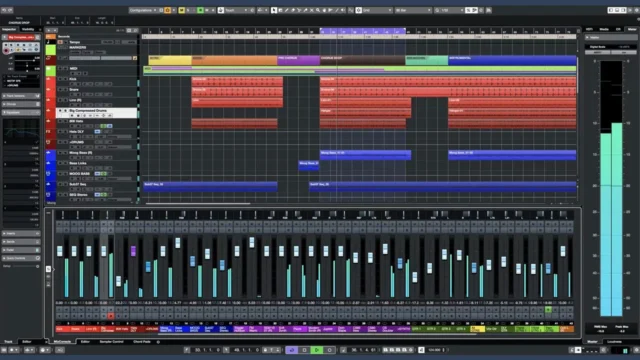
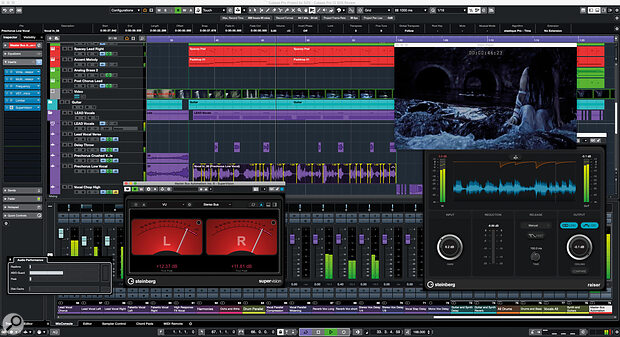
The MixConsole in Cubase Pro is a full-featured digital mixing desk. Each channel includes a built-in channel strip with an EQ, compressor, limiter, gate, transient shaper, and saturation module. You can swap out different EQ shapes and compressor circuit models depending on what the mix needs. The MixConsole supports VCA faders, direct routing, pre and post fader sends, and parallel processing chains. Cubase Pro 14 also added a full MixConsole view inside the Lower Zone, so you can work on your mix without leaving the project window. For engineers who mix inside the DAW rather than on a hardware console, this flexibility in the interface layout reduces the need to switch between windows constantly.
Dolby Atmos and Spatial Audio Support
Cubase Pro includes a built-in Dolby Atmos renderer, which puts immersive audio production within reach for composers and engineers working in film, television, and streaming. You can work in stereo, 5.1, 7.1, and up to fourth-order Ambisonics. The software lets you position audio objects in a three-dimensional space and monitor the output through a compatible speaker configuration or binaural headphone rendering. Streaming platforms now require or prefer Dolby Atmos mixes for certain content types, and having the renderer built into Cubase Pro means you do not need a separate application to deliver those formats. This is a significant practical advantage for anyone producing music or audio for Apple Music, Amazon Music, or film distribution.
Score Editor
Cubase Pro 14 replaced the previous Score Editor with a new one built using technology from Dorico, Steinberg’s professional notation software. The updated editor displays MIDI data as standard music notation and lets you edit notes, articulations, dynamics, and layout directly on the score. If you compose for live musicians or need to produce printed parts alongside your digital production, this editor handles both tasks in the same project file. Composers working on library music, game audio, or film scores often need to deliver both a mixed audio file and a score for performers. Having both production and notation in one environment removes a significant amount of file conversion and import work.
Real-World Experience Using Cubase Pro
Working inside Cubase Pro daily reveals a few consistent patterns. The software is stable. Large sessions with 80 or more tracks, multiple instances of third-party plugins, and heavy automation rarely cause the kind of crashes or dropouts you encounter with lighter DAWs pushed past their limits. The learning curve is real. If you are coming from a simpler DAW, the depth of the MIDI editors and the routing options in the MixConsole will take time to understand fully. Steinberg’s documentation is thorough, and the user community has produced a large amount of tutorial content that covers most features in practical detail. The software rewards the time you put into learning it. Once you understand VariAudio, the Logical Editor, and the signal routing options, you can move through production sessions faster than you can in software that limits those options.
Conclusion
Steinberg Cubase Pro is not the easiest DAW to start with, but it is one of the most capable tools for professional music production available today. It covers MIDI composition, audio recording, mixing, mastering, notation, and immersive audio in a single application. The modulator system added in version 14 opens new creative possibilities without requiring additional software. If your work involves complex projects, tight deadlines, or delivering multiple formats from a single session, Cubase Pro handles all of it reliably. The price reflects the scope of what the software includes, and for producers and engineers who use it daily, that investment pays off quickly.
Steinberg Cubase Pro System Requirements
| Component | Minimum Requirement | Recommended Requirement |
|---|---|---|
| Operating System | Windows 10 Version 22H2 (64-bit) or macOS Ventura 13.7 | Windows 11 Version 23H2 (64-bit) or macOS Sequoia |
| Processor (CPU) | Intel Core i5 4th Gen or AMD Ryzen (multi-core) | Intel Core i7 8th Gen or later, or AMD Ryzen 7 with 8 or more cores |
| RAM | 8 GB | 32 GB or more |
| Storage | 70 GB free hard drive space | SSD with 100 GB or more free space |
| Graphics | AMD R or RX series or NVIDIA Series 700 or later | NVIDIA RTX series or AMD RX 6000 series with Metal or DirectX 12 support |
| Display Resolution | 1440 x 900 | 1920 x 1080 or higher |
| Internet | Required for license activation via Steinberg account | Required for software updates, cloud features, and content downloads |